Education Edition · for MetaTrader 5
Learn to read the chart yourself.
MultiMarket Pattern Scanner watches your MT5 charts on forex, gold and stock indices. When a textbook pattern starts to form, it shows you where, scores how closely it matches the textbook, and explains why, step by step.
No entries, exits or targetsIt describes chart structure. What you do with it is up to you.
Never touches your accountIt reads price data from MT5 and nothing else. It can't place trades.
Shows the failures tooEvery pattern has a failed version, so you learn what breaks it.
The five patterns
One lesson for every pattern it looks for
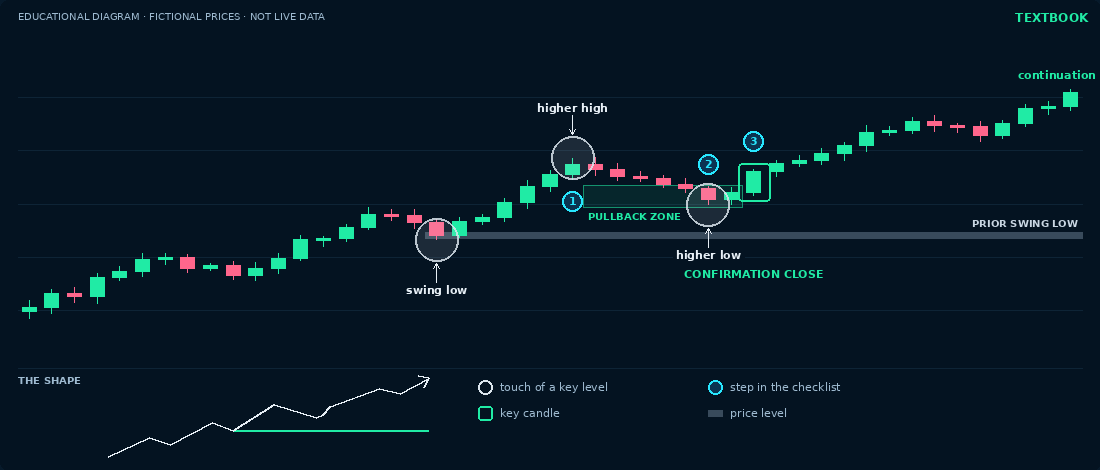
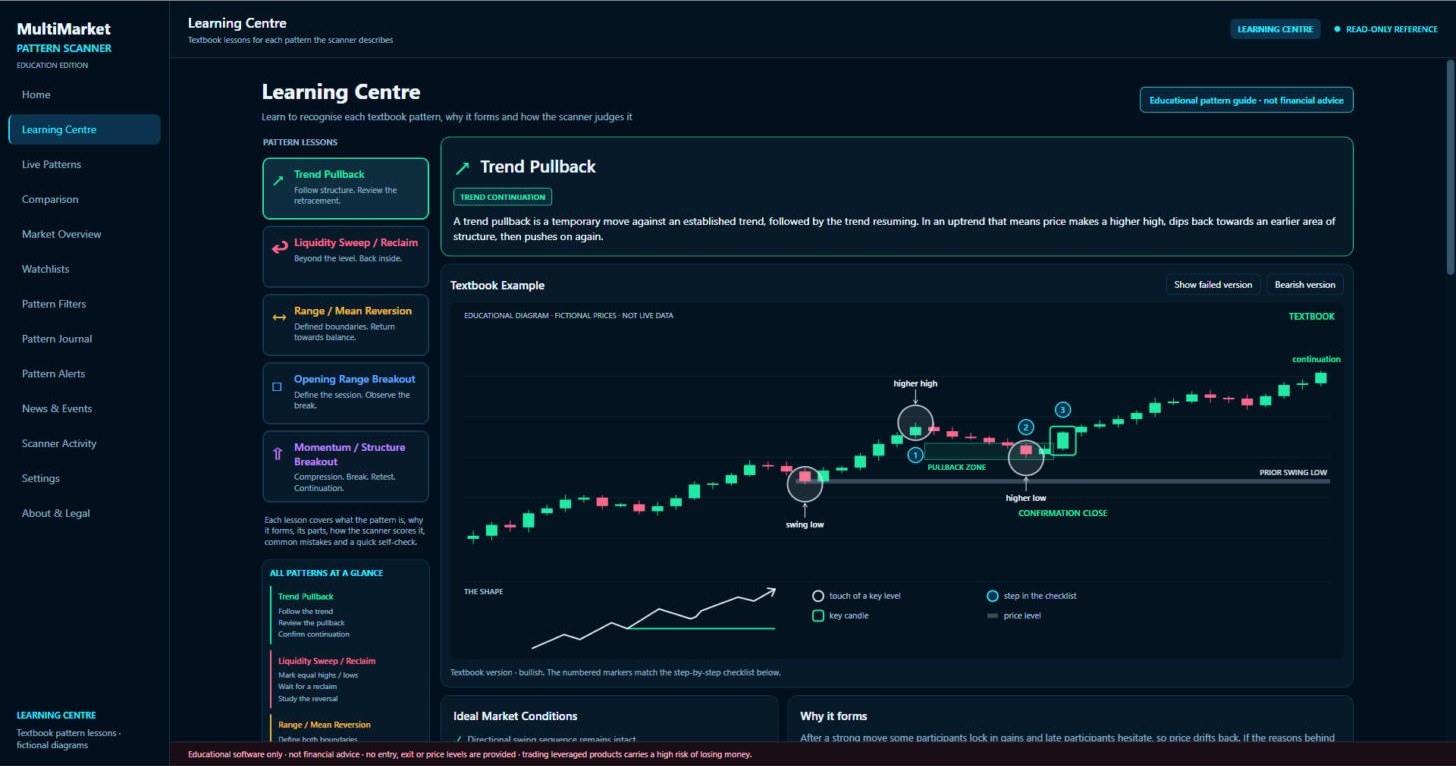
Each pattern comes with an annotated chart, the steps to recognise it, its anatomy, how the scanner scores it, common mistakes and a quick self-check. Flip any chart to see the failed version.
How it scores
Every pattern is scored out of 100
The score tells you how closely the chart matches the textbook description. It is not a probability and it is not a recommendation. Here is the Trend Pullback breakdown, exactly as the scanner calculates it.
Inside the app
Lessons on one side, your own markets on the other
Install and connect
Run the installer, then press Connect MetaTrader 5. The scanner finds your MT5 terminal and sets up its read-only data exporter.
It watches your charts
The scanner reads price from your broker's feed on each market you choose, and checks all five patterns as the candles close.
You study what it finds
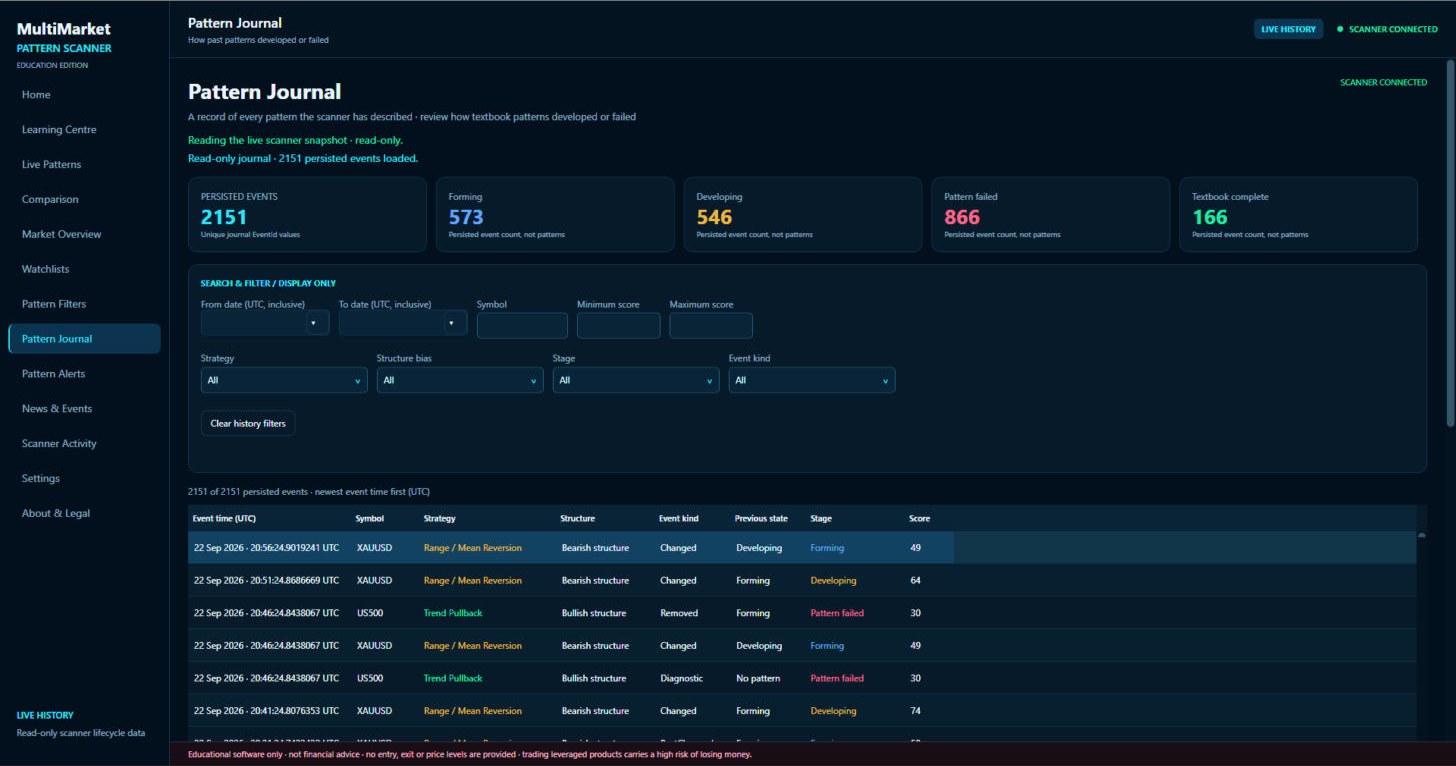
Open a pattern, compare it with its lesson, and follow it through to textbook complete or failed in the journal.
18-second intro. The presenter is AI-generated.
One-off price
£39pay once, keep it
- The MultiMarket Pattern Scanner app for Windows
- One-click MetaTrader 5 connection and exporter
- Five pattern lessons with textbook and failed charts
- Pattern Journal of everything it has described
- Pattern alerts, market overview and session times
Secure checkout by Stripe. Your download link appears as soon as you have paid, and Stripe emails your receipt.
Needs: Windows 10 or 11 (64-bit) · MetaTrader 5 desktop with any broker · markets your broker offers in forex, gold and stock indices
Questions
Before you buy
Does it place trades or tell me when to buy or sell?
No. It has no trading features at all. It never shows entries, exits, stop losses or price targets, and it cannot access your broker account. It describes chart structure for learning.
What do I need to run it?
A Windows 10 or 11 PC (64-bit) and the MetaTrader 5 desktop terminal, which is free from your broker. The scanner connects to MT5 with one click and only reads price data.
Which markets does it cover?
Forex pairs, gold and stock indices, using whatever your broker offers in MT5. It matches your broker's symbol names and session times automatically.
Does it work on a Mac?
Not at the moment. It is a Windows desktop app.
Is this financial advice?
No. It is educational software. Scores describe how closely a chart matches a textbook pattern, not how likely a move is. Any decision you make in the markets is your own.
Is it a subscription?
No. You pay £39 once.